USING RAYLIB WITH ZIG ON NIXOS

KunkkaFollow
Last update: 2025-08-28,
8 mins to read
↳
Premises
- Know about the nix package manager.
- Know about the nixos operating system.
- Know about the
nix developfeature. ref - Know your Zig version
Steps
1. Init project
mkdir your_prj_dir && cd your_prj_dir
zig init
2. Prepare a flake.nix file
Remember to place it in the root directory of the project
{
  description = "Raylib development environment";

  inputs = {
    nixpkgs.url = "github:nixos/nixpkgs/nixos-unstable";
  };

  outputs =
    { self
    , nixpkgs
    , ...
    }:
    let
      system = "aarch64-linux"; # please change it based on your system details
    in
    {
      devShells."${system}".default =
        let
          pkgs = import nixpkgs {
            inherit system;
          };
        in
        pkgs.mkShell {
          packages = [
            pkgs.libGL

            # X11 dependencies
            pkgs.xorg.libX11
            pkgs.xorg.libX11.dev
            pkgs.xorg.libXcursor
            pkgs.xorg.libXi
            pkgs.xorg.libXinerama
            pkgs.xorg.libXrandr

            # Uncomment the line below if you want to build Raylib with web support
            # pkgs.emscripten
          ];

          # Audio dependencies
          LD_LIBRARY_PATH = pkgs.lib.makeLibraryPath [ pkgs.alsa-lib ];
        };
    };
}
4. Two ways to use raylib with zig
1. With raylib bindings for zig
- Run this in your_prj_dir command to fetch raylib-zig dependency
for zig version 0.15.1
zig fetch --save git+https://github.com/raylib-zig/raylib-zig#develfor zig version 0.14.x
zig fetch --save git+https://github.com/Not-Nik/raylib-zig#develIf you don’t see the following result, please check your Zig version.
info: resolved ref 'devel' to commit df70c5c952f61f84a39cd2af5649f5ad7a645b6f- Next, check your build.zig.zon file to ensure that the dependency is added
.dependencies = .{
        .raylib_zig = .{
            .url = "git+https://github.com/raylib-zig/raylib-zig?ref=devel#df70c5c952f61f84a39cd2af5649f5ad7a645b6f",
            .hash = "raylib_zig-5.6.0-dev-KE8REH9ABQBo9v5YfUwPYdgihp7NNFOr_2FJOiVJH7bH",
        },
},- Add this to the
build.zigfile after exe_mod creating
const raylib_dep = b.dependency("raylib_zig", .{
    .target = target,
    .optimize = optimize,
    .linux_display_backend = .X11, // don't forget it if you are using X11
});

const raylib = raylib_dep.module("raylib"); // main raylib module
const raygui = raylib_dep.module("raygui"); // raygui module
const raylib_artifact = raylib_dep.artifact("raylib"); // raylib C library- Add this after defining exe module
exe.linkLibrary(raylib_artifact);
exe.root_module.addImport("raylib", raylib);
exe.root_module.addImport("raygui", raygui);- Done, now I believe that you can use raylib-zig dependency with zig types system.
- A simple
main.zigfile to test
const std = @import("std");
const rl = @import("raylib");

const WIN_W = 800;
const WIN_H = 600;

pub fn main() !void {
    try draw();
}
fn draw() !void {
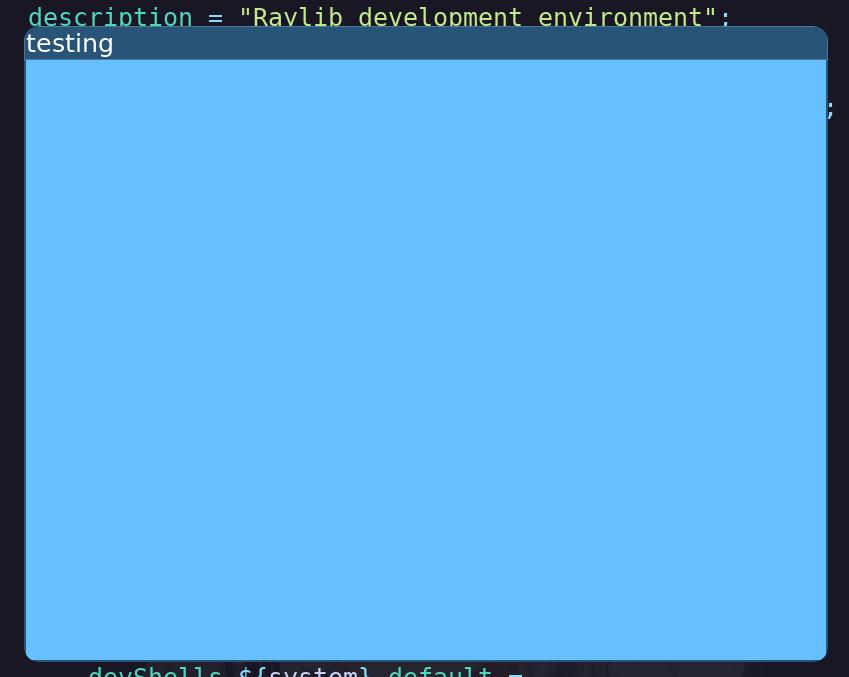
    rl.initWindow(WIN_W, WIN_H, "testing");
    defer rl.closeWindow();

    rl.setWindowPosition(100, 100);

    while (!rl.windowShouldClose()) {
        rl.beginDrawing();
        defer rl.endDrawing();
        rl.clearBackground(rl.Color.sky_blue);
    }
}- Build and run
- build nix dev environment
nix develop- then build the zig project
zig build run2. Without bindings (use cImport direct) and zig 0.15
Use this approach if you are concerned about the maintenance status of the raylib-zig package and the raylib version.
Since the latest raylib build.zig requires min_ver = "0.15.1" (as of 2025-08-28), this is a good chance to use Zig 0.15.1 in our Nix dev environment.
- We changed the
flake.nixfile a bit to install Zig 0.15.1 in our Nix dev environment.
{
  description = "Raylib development environment";

  inputs = {
    nixpkgs.url = "github:NixOS/nixpkgs/nixos-unstable";
    zig-overlay.url = "github:mitchellh/zig-overlay";
    zig-overlay.inputs.nixpkgs.follows = "nixpkgs";
  };

  outputs =
    { self
    , nixpkgs
    , zig-overlay
    , ...
    }:
    let
      system = "aarch64-linux"; # please change it based on your system details
      pkgs = import nixpkgs {
        inherit system;
        overlays = [ zig-overlay.overlays.default ];
      };
    in
    {
      devShells.${system}.default =
        pkgs.mkShell {
          packages = [
            pkgs.zig_0_15 # use zig 0.15.1
            pkgs.raylib # Raylib C library

            pkgs.libGL

            # X11 dependencies
            pkgs.xorg.libX11
            pkgs.xorg.libX11.dev
            pkgs.xorg.libXcursor
            pkgs.xorg.libXi
            pkgs.xorg.libXinerama
            pkgs.xorg.libXrandr
          ];

          # Audio dependencies
          LD_LIBRARY_PATH = pkgs.lib.makeLibraryPath [ pkgs.alsa-lib ];
        };
    };
}- Fetch raylib resource
zig fetch --save git+https://github.com/raysan5/raylib.gitinfo: resolved to commit 71037033137e692f1a39003e06f570fa2744dce3- Modify
build.zigto use raylib
Add this after exe definition
const raylib_dep = b.dependency("raylib", .{
        .target = target,
        .optimize = optimize,
        .linux_display_backend = .X11, // don't forget it if you are using X11
    });
const raylib = raylib_dep.artifact("raylib");
exe.linkLibrary(raylib);- Test with a simple
main.zigfile
We use cImport, so the syntax will be slightly different.
const c = @cImport({
    @cInclude("raylib.h");
    @cInclude("raymath.h");
});

const WIN_W = 800;
const WIN_H = 600;

pub fn main() !void {
    try draw();
}
fn draw() !void {
    c.InitWindow(WIN_W, WIN_H, "testing");
    defer c.CloseWindow();

    c.SetWindowPosition(100, 100);

    while (!c.WindowShouldClose()) {
        c.BeginDrawing();
        defer c.EndDrawing();
        c.ClearBackground(c.SKYBLUE);
    }
}- Build and run
- build nix dev environment
nix develop- then build the zig project
zig build runResult